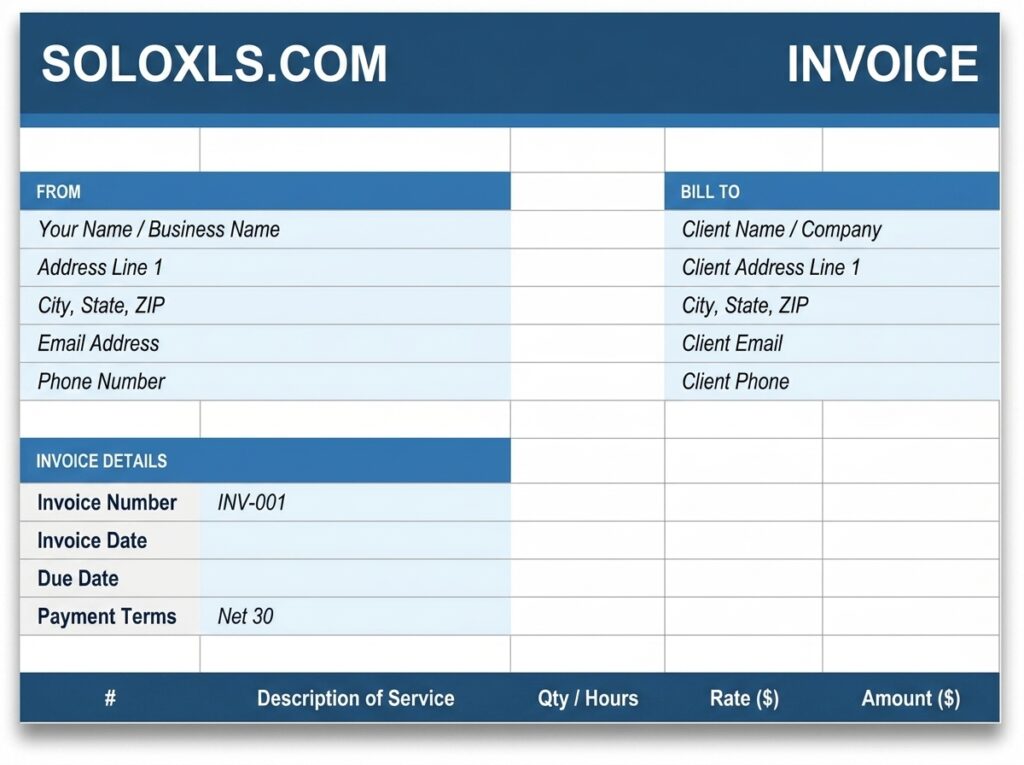
Free Freelance Invoice Template for Excel (Download + How to Use It)
Three sheets — professional invoice, invoice log, and how to use guide. Send professional invoices in under five minutes, no subscriptions required.
| 👤 By SoloXLS Team | 📅 April 25, 2026 | ⏱ 7 min read |

|
Free Download Freelance Invoice Template (.xlsx) — 3 Sheets 10 line items · Auto totals · Invoice log · Works in Excel and Google Sheets |
Download Free → |
Getting paid on time starts with sending a professional invoice. Between client work, deadlines, and everything else on a freelancer’s plate, building an invoice from scratch is the last thing you need to be doing.
No subscriptions. No software to install. No learning curve. Open it in Excel or Google Sheets and start invoicing.
What’s Included
| Invoice Sheet | Your details, client details, 10 line items, tax rate, discount field — Total Due auto-calculated |
| Invoice Log | Every invoice tracked — number, client, date, due date, amount, payment status |
| How To Use | Step-by-step instructions for every field |
How to Send Your First Invoice in 5 Steps
1. Download and open the .xlsx file in Excel or upload to Google Sheets.
2. Fill in your name or business name, address, email, and phone in the From section.
3. Add your client’s billing information in the Bill To section.
4. Enter your invoice number, date, and due date.
5. List your services — description, quantity or hours, and rate. The Amount column and all totals calculate automatically. Save as PDF and send.
💡 Pro Tip
Save a blank copy as your master file. Each time you invoice, duplicate the file and rename it with the invoice number — e.g., INV-007-ClientName. This keeps your master template clean and gives you a complete archive of every invoice sent.
Tips for Getting Paid Faster
Use short payment terms. Net 14 or Net 7 for smaller jobs. The shorter the window, the sooner clients act.
Send the same day work is delivered. Your client’s enthusiasm for paying is highest right when they receive the work.
Number invoices sequentially. INV-001, INV-002. Makes follow-ups easy: “Following up on INV-003 sent on the 15th.”
Save as PDF before sending. File → Save As → PDF. Locks formatting so it looks the same on every device.
Download the Free Invoice Template
Pre-formatted and ready to customise. Replace placeholder details and send professional invoices in minutes.