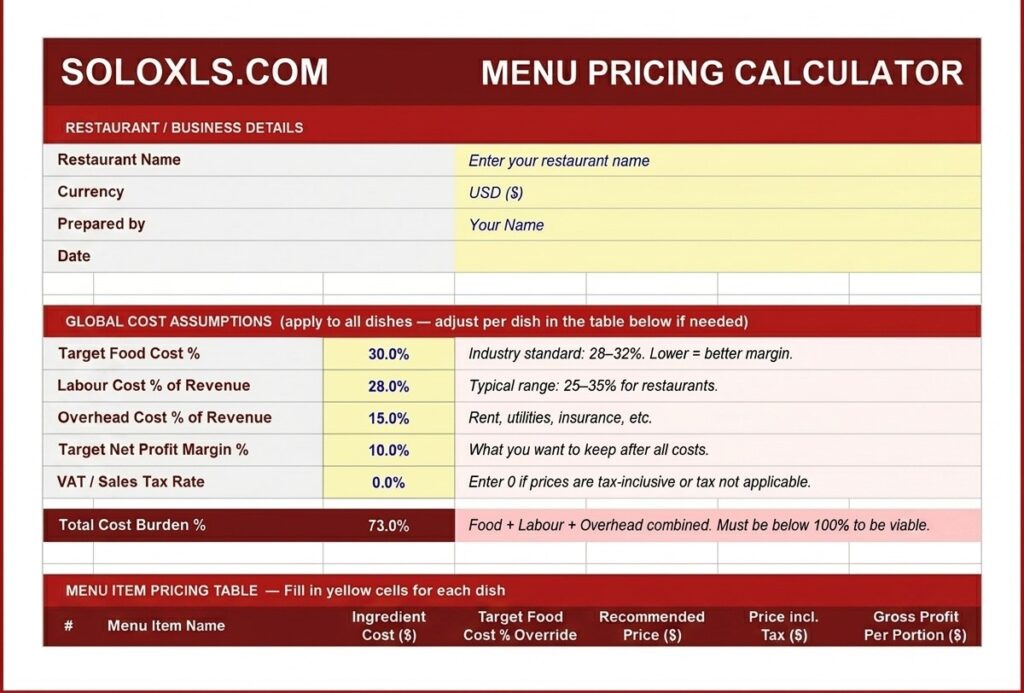
Free Restaurant Menu Pricing Template — Price Every Dish for Profit
Four connected sheets — menu price calculator, break-even calculator, price scenario planner. Stop guessing and start pricing from your actual numbers.
| 👤 By SoloXLS Team | 📅 April 25, 2026 | ⏱ 8 min read |

|
Free Download Menu Pricing Template (.xlsx) — 4 Sheets 25 dishes · Break-even calculator · Scenario planner · Works in Excel and Google Sheets |
Download Free → |
Most restaurant owners set menu prices in one of two ways: they match competitors, or they double ingredient cost and hope the margins work out. Both approaches fail the same way — they leave your actual cost structure completely out of the equation.
A dish priced to match the restaurant down the road may be profitable for them and a loss for you. The only price that guarantees a margin is one calculated from your own numbers.
What’s Inside This Template
| Menu Price Calculator | Set food cost %, labour %, overhead % once — recommended price calculates for every dish instantly |
| Break-Even Calculator | Enter fixed monthly costs — get exact covers needed per month and per day to be profitable |
| Price Scenario Planner | Test 3 price points side by side — food cost %, labour, overhead, net profit per portion |
| How To Use Guide | Step-by-step instructions covering every input field and formula |
Food Cost % Benchmarks
| Under 28% | Excellent — fine dining or high-efficiency kitchen |
| 28–35% | Good — healthy margin for most restaurants |
| 35–40% | Review — pricing or portion sizes need attention |
| Over 40% | Critical — losing money, act immediately |
How to Set Menu Prices in 6 Steps
1. Open the template and fill in your restaurant name and currency.
2. Set global assumptions: target food cost % (28–32% is standard), labour %, overhead %, and VAT/sales tax rate.
3. Enter ingredient cost per portion for each dish. Pull these from your Food Cost Calculator if you’ve already built your recipes.
4. Read the Recommended Price column — this is your minimum viable price based on your cost structure and target margin.
5. Cross-check against competitor pricing. If your price is significantly above market rate, revisit portion size or ingredient spec.
6. Apply psychological pricing adjustments — round $13.00 to $12.95. Lock the price and move to the next dish.
💡 Pro Tip
Use the Price Scenario Planner on your highest-volume dishes. A $0.50 price increase on a dish you sell 200 times a week generates an additional $5,200 in revenue annually — with zero increase in ingredient cost.
Download the Free Menu Pricing Template
Price your full menu from your own cost structure. Free, no sign-up required.